
My neighbor had her bank account drained last March.
She is in her fifties, teaches middle school in suburban Atlanta, and is about as far from a tech person as you can get. She did not click a suspicious link. She did not download anything weird. Someone got into her Cash App through a credential stuffing attack — her email and password had leaked in a breach years earlier, she had reused the same password, and that was that. Twelve hundred dollars. Gone in four minutes.
Her story is not unusual anymore. It is practically Tuesday.
App security in 2026 is not a niche concern for developers with computer science degrees and standing desks. It is personal. It is money. It is medical records and private conversations and the photos on your phone. Whether you are a startup founder in Austin, a security engineer at a Chicago fintech, or someone who just wants to know which secure messaging app to use — this guide is for you.
No jargon for the sake of jargon. No padding. Just what matters, and why.
Here is the thing about security in 2026. The tools to attack are now smarter than most of the defenses trying to stop them.
A few years ago, running a credential stuffing attack required technical knowledge, time, and a decent proxy setup. Today you can rent an AI-powered attack service on the dark web for less than the cost of a dinner out. It will try a million username and password combinations across dozens of apps in an afternoon. No human involved.
That is what mobile security threats 2026 actually look like. Not some guy in a hoodie. Automated systems running around the clock, targeting real people in California, Texas, Ohio, Florida, New York — everywhere.
At the same time, the apps people use are more complex than ever. They pull data from dozens of third-party APIs. They run in cloud environments stitched together from containers and microservices. They are updated constantly, and every update is a chance for something to go wrong. The attack surface management challenge in 2026 is genuinely unprecedented.
And yet — the defenders have better tools too. AI works both ways. The same capabilities that make attacks more sophisticated are being used to detect threats in real time, predict vulnerabilities before they are exploited, and respond faster than any human security team could on its own.
IT security in 2026 is an arms race. Where you end up depends entirely on whether you are paying attention.
Let us talk about what AI in app security actually means in practice, because this phrase gets thrown around a lot without much substance.
On the attack side, agentic AI systems — AI that can take autonomous action, chain tasks together, and adapt without human input — have made certain attacks dramatically more effective. Phishing emails that used to read like they were written by someone whose first language was not English now read like they were written by a colleague who knows your name, your company, and what project you are on. Because the AI scraped LinkedIn, your company blog, and your public GitHub to write it.
Automated vulnerability scanning powered by AI can probe an application for weaknesses at a speed and scale that would have required an entire red team a few years back. Agentic AI cybersecurity is not a future concern. It is the present concern, active right now.
On the defense side, AI-driven application security tools are doing things that were not possible before. They can establish a behavioral baseline for a normal user session and flag deviations in real time. They can scan millions of lines of code in minutes and surface the patterns most likely to be exploitable. Predictive threat detection — using historical attack data to anticipate where the next attack will come from — is moving from research paper to production deployment across major US enterprises.
The honest version of this story: AI in app security is not magic. It makes good security teams significantly better. It does not replace the need for thoughtful architecture, solid policy, and human judgment. And AI systems have their own vulnerabilities — adversarial inputs, model poisoning, data pipeline attacks. AI can be fooled just like everything else.
But teams ignoring AI in their security stack in 2026 are bringing a knife to a gunfight.
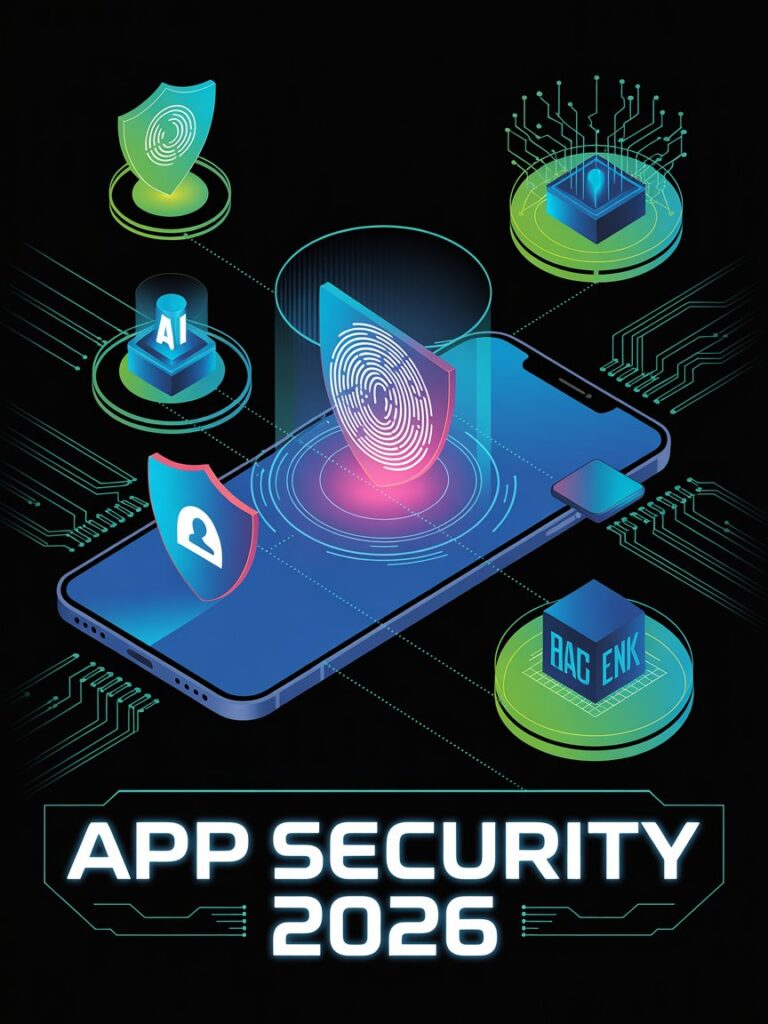
The old model of network security had a name, even if nobody called it that. People called it the castle-and-moat model. Build walls. Put a gate. Let the right people through. Assume everyone inside is friendly.
That model assumes your perimeter is meaningful. It is not, in 2026. Developers are in Seattle, Denver, and Miami simultaneously. Infrastructure is split across AWS and Azure. Half your services talk to third-party APIs that live entirely outside your network. There is no meaningful inside anymore.
Zero trust app security is the answer to that reality. The core idea is simple but uncomfortable: trust nothing by default. Verify everything, every time, regardless of where a request comes from. An internal service requesting data from another internal service gets authenticated exactly the same way an external request would.
What this looks like in practice:
Identity-centric security is the foundation. Access is granted based on who or what is making the request, from what device, from what location, and whether that behavior is consistent with established patterns — not based on what network segment a request happens to originate from.
Micro-segmentation limits the blast radius when something goes wrong. A breach in one part of the application cannot automatically spread to everything else, because every service enforces its own access controls rather than trusting the surrounding network.
Continuous monitoring means you are not just checking credentials at login and walking away. You are watching session behavior for signs of account takeover, unusual data access patterns, and lateral movement throughout the session.
Zero trust is not a product you buy. It is an architecture you build. For teams moving from legacy systems to cloud-native microservices, the migration is real work. But maintaining the fiction of a secure perimeter that does not exist is more expensive in the long run.
Mobile app security in 2026 covers a lot of ground. Your banking app. Your health tracker. Your kid’s school portal. The social security app your retired parent uses on a tablet in their kitchen. The security app your small business depends on for remote monitoring. All of them run on the same devices, and all of them have different security requirements and different failure modes.
Google has made genuine progress on mobile application security in recent years. Google Play Protect continuously scans installed apps for malicious behavior. Hardware-backed keystores are now mandatory for apps handling sensitive credentials. Certificate pinning requirements have been strengthened.
The persistent challenge on Android is the open ecosystem. Side-loading apps from outside the Play Store remains a significant risk factor — it is not hypothetical, it is where a majority of serious Android malware originates. Device fragmentation means security patches are uneven across manufacturers, with some devices lagging months behind on critical updates.
Mobile security apps worth knowing for Android in 2026: Bitdefender Mobile Security, Malwarebytes for Android, and Norton Mobile Security all perform well in independent testing. They add meaningful value, especially for users who install apps from multiple sources.
The iOS security model remains one of the most robust in the consumer market. App sandboxing, strict permission controls, hardware-level encryption — apple security is built into the architecture of the device rather than added as an afterthought.
But iOS is not impenetrable. Spyware targeting high-value individuals has exploited zero-day vulnerabilities in iOS apps. Social engineering works just as well on iPhone users as on anyone else. The weakest link in most people’s iPhone security is not the operating system — it is the passwords they reuse and the permissions they grant without reading.
For iphone security apps, our own App Shield – Phone Guard offers comprehensive device-level protection. Lookout Mobile Security adds malware scanning and breach detection. 1Password and Bitwarden handle credential security well. For secure messaging app needs, Signal is the right choice on iOS.
This is the question that comes up constantly. Which app should I actually use?
Attorneys, journalists, healthcare workers, financial advisors — anyone handling sensitive conversations in a state with serious privacy law — asks this more than anyone. But regular people ask it too, especially after high-profile hacks make the news. So here is the direct answer.
Signal is the most secure messaging app available to consumers in 2026. When people ask how secure is Signal app, the answer is: very, and you can verify it yourself.
End-to-end encryption covers everything — messages, calls, media — using the Signal Protocol, which is open source and has been independently audited multiple times. Minimal metadata is stored. Sealed sender prevents even Signal’s servers from knowing who is talking to whom. Disappearing messages, no ads, no data collection.
The Signal Protocol is not just Signal’s technology anymore. WhatsApp uses it. Google Messages uses it for RCS. It has become the baseline standard for encrypted messaging, which is a significant endorsement from the broader industry.
Message content in WhatsApp is end-to-end encrypted using Signal Protocol. That part is real and functional. What WhatsApp collects is metadata — who you message, how often, from what device, your location, your contacts. Meta owns WhatsApp and uses that metadata for its advertising business.
For most people in most situations, WhatsApp is adequate. For attorneys, journalists, activists, and healthcare professionals — the metadata collection is a problem that message-level encryption does not solve.
Apple’s iMessage is end-to-end encrypted between Apple devices. When conversations fall back to SMS — the green bubble experience that is familiar to anyone in the United States — there is no end-to-end encryption. For households with a mix of iPhone and Android users, this gap is significant and persistent. New apple security features in recent iOS versions have improved various aspects of the platform’s security, but the iMessage SMS fallback issue remains.
Standard Telegram chats are not end-to-end encrypted. They are encrypted in transit, but Telegram holds the keys. Only Secret Chats — a feature most users have never touched — provide genuine end-to-end encryption. This is widely misunderstood, and the misunderstanding matters: people treat Telegram as a secure platform when most of its chats are not.
For personal privacy: Signal.
For enterprise: Signal for Teams or Wickr Enterprise.
For legal, healthcare, and financial professionals: Signal with disappearing messages enabled, consistently.
Apple security has continued to evolve. iOS 18 brought expanded privacy nutrition labels, a refined Lockdown Mode for high-risk users, and tighter background access controls.
Where is security in iPhone settings? Go to Settings → Privacy & Security. This is your control center for app permissions, two-factor authentication, Stolen Device Protection, iCloud Keychain, and compromised password warnings. Most people have never spent ten minutes in this menu. They should.
New apple security features worth knowing: Stolen Device Protection requires biometric authentication for sensitive actions even if someone has your passcode. Enhanced Tracking Protection in Safari blocks more fingerprinting techniques. And improved privacy reports now show exactly what data each app accessed and when.
How to secure apps on iPad comes up often, and the answer is specific:
Go to Settings → Screen Time → Content & Privacy Restrictions. This controls which apps can be accessed at all, requires a passcode to change the settings, and lets you restrict purchases and specific features. For shared household iPads — especially ones that children also use — this is not optional.
For individual app security: enable Face ID or Touch ID for authentication inside apps that support it. Banking apps, password managers, and secure messaging apps all offer this. Use it for every app that matters.
Keep iPadOS updated. Not next week. When the notification appears. Security patches address real, actively-exploited vulnerabilities.
Review permissions in Settings → Privacy & Security to see what every app has asked to access. Camera, microphone, location, contacts — revoke anything that does not make sense for what the app actually does.
Web application security discussions almost always start with SQL injection and cross-site scripting because those are the textbook examples. They are real vulnerabilities. But the threats doing actual damage in 2026 are often more subtle, and less covered.
Business logic vulnerabilities are flaws in how an application is designed to work — not how it was coded. A discount code that can be applied twice because the validation only runs once. An account upgrade flow that can be manipulated to grant higher permissions than intended. Automated scanners miss these entirely. You need someone who understands what the application is supposed to do and can probe whether it actually enforces those rules.
Client-side attacks have gotten sophisticated in ways that are worth understanding. Malicious JavaScript injected through a compromised ad network, a third-party chat widget, or an insufficiently secured CDN can capture form data before it is submitted, steal session cookies, or redirect users to phishing pages without the legitimate website’s operator ever knowing. Every third-party script your web presence loads is code you did not write and cannot fully audit.
Web security fundamentals that still get skipped in 2026: HTTPS everywhere, enforced HSTS, cookies marked Secure and HttpOnly, Content Security Policy headers that are actually restrictive rather than set-and-forgotten, and subresource integrity checks on external scripts.
Our web development services include security reviews at every phase, because we have seen how expensive web application security failures are to remediate after the fact.
API security is one of the most critical and most underinvested areas of application security in 2026. APIs are the connective tissue of modern applications. They connect apps to databases, to third-party services, and to each other. They are also, frequently, where attackers find the door that was left unlocked.
The specific failures that come up again and again:
Broken Object Level Authorization (BOLA) — change a user ID in an API request and get back data that belongs to a different user. This is the most common API vulnerability in 2026 and it is depressingly simple. Change one number in a URL. Read someone else’s records. It keeps happening.
Broken Authentication — API endpoints that are exposed without authentication, or with authentication that can be bypassed. More common than anyone wants to admit, especially on internal APIs that were never supposed to be external but ended up accessible on the wrong network segment.
Excessive Data Exposure — APIs that return a full user record when the client only needs a name and email. The extra fields — passwords, private notes, internal flags — are sitting in the response, readable to anyone who knows to look.
Lack of Rate Limiting — no restrictions on how many times a client can hit an endpoint means attackers can run credential stuffing, data scraping, and account enumeration attacks without any friction at all.
Continuous monitoring of API traffic is not optional in 2026. Anomaly detection that flags unusual request patterns can catch attacks in progress. Waiting for the damage report afterward is not a security posture.
If your team is building apps with complex API backends, the way we approach this at Asapp Studio’s mobile app development practice treats application security reviews as a delivery requirement, not an optional add-on.
Application security testing is a multi-layered discipline in 2026. No single tool catches everything. Here is what a real security testing practice actually includes.
SAST (Static Application Security Testing) analyzes source code without running it. Catches common coding vulnerabilities early — insecure function calls, hardcoded credentials, missing input validation. The best modern tools use machine learning to reduce false positives, which was historically the main reason developers dismissed SAST results and went back to ignoring them.
DAST (Dynamic Application Security Testing) tests the running application by simulating attacks from the outside. Catches what SAST misses — runtime behavior, server configuration issues, authentication flaws that only appear when the system is actually in operation. Essential for web application security coverage.
Penetration Testing is a human exercise. Security professionals actively try to breach the application using real attacker techniques. AI-assisted pen testing tools have expanded coverage, but the human element — creative thinking, judgment calls, understanding business context — still matters and cannot be fully automated.
Vulnerability management is the operational process of tracking what testing finds, prioritizing by severity and exploitability, assigning remediation ownership, and verifying fixes were actually implemented. Without good vulnerability management, testing findings pile up in spreadsheets nobody reads until something goes wrong.
Application security tools that belong in most US development teams’ stacks in 2026: Semgrep or Snyk for SAST, OWASP ZAP or Burp Suite for DAST, and a dedicated vulnerability management platform for tracking findings across the full development lifecycle.
DevSecOps 2026 is the answer to a problem that should never have existed: security as an afterthought.
The traditional process went like this. Developers wrote code. Testers found bugs. Security reviewed it before release. Then someone scrambled to patch the critical vulnerabilities that made it through. The problem with that process is timing. Finding a vulnerability in production costs exponentially more to fix than catching it during development. And by the time security gets involved under the traditional model, there is enormous pressure to ship without going back to fix things properly.
DevSecOps changes the sequence. Security is part of every sprint. Every code commit gets automatically scanned. Developers get real-time feedback on secure coding practices as they write code — not weeks later in a report they have to decipher and argue about. Security findings are tracked in the same tools the development team uses for bugs, which means they actually get prioritized and addressed.
The cultural piece is just as important as the tooling. Security cannot be the team that always says no. It has to be the team that helps developers say yes in a way that does not create risk. When developers understand why a secure coding requirement exists, they implement it correctly. When security feels like an external audit being imposed on them, they find workarounds.
Our software development services are built around this principle. Security is part of how we build, not a gate at the end of the process.
The OWASP Mobile Top 10 is the foundational reference for mobile application security. Every developer building mobile apps should know these categories before writing a line of production code.
M1 – Improper Platform Usage. Misusing iOS or Android security features — storing sensitive data in the wrong location, failing to use platform cryptographic APIs correctly, not enforcing certificate validation. Still the most common category in 2026.
M2 – Insecure Data Storage. Sensitive information stored in plaintext on device storage, in logs, in clipboard, or in locations accessible to backups. When a device is lost or stolen, this data walks out the door with it.
M3 – Insecure Communication. Not validating certificates, using HTTP in any context, improperly implementing end-to-end encryption. The protections are built into the platforms. Failing to use them correctly is a choice.
M4 – Insecure Authentication. Weak session management, no enforcement of strong authentication, failing to leverage biometric authentication that the platform provides.
M5 – Insufficient Cryptography. Using deprecated algorithms like MD5 or SHA-1 for anything security-critical, hardcoding cryptographic keys in source code, rolling custom cryptographic implementations instead of using vetted libraries.
M6 – Insecure Authorization. Trusting the client to enforce authorization decisions. The server validates permissions on every request. Always. Without exception.
M7 – Client Code Quality. Buffer overflows, format string vulnerabilities, and integer issues that exist because of poor coding practices. Code review and SAST catch most of these if the process is in place.
M8 – Code Tampering. Not detecting or responding to app tampering. Critical for financial apps, gaming apps, and enterprise apps where the integrity of what is running matters.
M9 – Reverse Engineering. Leaving sensitive logic and cryptographic material readable to anyone with a decompiler and a few hours. App shielding and code obfuscation directly address this.
M10 – Extraneous Functionality. Debug endpoints, test credentials, and hidden admin interfaces left in production builds. Someone will find them.
Runtime Application Self-Protection (RASP) addresses a category of threats that most other security tools never touch: attacks that happen while the application is actively running on a device.
Traditional security testing happens before deployment. Runtime threats — code injection, hooking attacks, dynamic analysis used to reverse-engineer live apps — happen during use. By the time traditional testing finds evidence of this, the damage has been done.
RASP embeds security monitoring directly into the application binary. The app monitors itself during execution. When it detects behavior consistent with an attack — an attempt to hook into its functions, abnormal API call sequences, signs of a debugging session probing its behavior — it can terminate the session, alert the security team, or block the malicious request, automatically, without any human in the loop.
App shielding is complementary. It hardens the application binary itself. Obfuscation makes the code significantly harder to reverse-engineer. Anti-tampering checks detect whether the app has been modified since it was signed. Root and jailbreak detection identifies devices that have been compromised in ways that undermine the operating system security model the app was built to rely on.
For apps handling financial transactions, healthcare data, or enterprise credentials — any app where what is actually running matters — RASP and app shielding are not extras. They are requirements.
Supply chain security is one of the most uncomfortable conversations in software development because it forces an honest reckoning: your application is only as secure as the least secure thing it depends on.
Modern apps import hundreds of third-party libraries. Those libraries have their own dependencies. The build tools used to compile the app have dependencies. The CI/CD pipeline has dependencies. Any one of those components could be compromised — by a malicious insider, by a nation-state actor, by an honest mistake — and the compromise propagates forward into every application that uses it.
An SBOM (Software Bill of Materials) is a machine-readable inventory of every component in your software. An ingredient list for your app. When a critical vulnerability is disclosed in a library, you immediately know whether you are affected and where.
A PBOM (Pipeline Bill of Materials) extends the concept to the build pipeline itself — the tools, processes, and configurations involved in building and deploying software.
Executive Order 14028 made SBOMs a requirement for software sold to US federal agencies. California and New York have pushed similar requirements into the private sector. This is not a trend that reverses — if you are not generating SBOMs as part of your build process in 2026, you are already behind where the market is heading.
Practical supply chain security in 2026: verify the integrity of components you import, monitor your dependency graph against known vulnerability databases continuously, and have a real process for acting quickly when a critical vulnerability is disclosed in something your app depends on.
Our quality assurance services include supply chain security assessments because we have seen what a single vulnerable dependency can do to an otherwise solid application.
This sounds like science fiction until you understand what is actually at stake.
Current public-key cryptography — RSA, ECC, the algorithms protecting most of the internet right now — relies on mathematical problems that are computationally infeasible for classical computers to solve. A sufficiently powerful quantum computer changes that calculus entirely. When it happens, the encryption protecting data today breaks.
The threat is real enough that NIST finalized its first post-quantum cryptography standards in 2024. US federal agencies have been directed to begin migration. Major technology companies are implementing quantum-resistant algorithms in their key exchange protocols now.
The attack that makes this urgent today — not in some future decade: harvest now, decrypt later. Sophisticated adversaries are collecting encrypted data with the intention of decrypting it once they have access to sufficient quantum computing capability. Data that needs to remain confidential for ten or twenty years — health records, legal communications, financial records, government information — is potentially at risk right now, even though the quantum computer capable of cracking it may not exist yet.
Data privacy in apps handling long-term sensitive information needs to account for this reality in 2026. The migration to quantum-resistant algorithms is non-trivial, and waiting until quantum computers are a near-term practical threat means not having enough time to do it properly.
Passwords are genuinely terrible and have been for as long as they have existed. The average person reuses the same passwords across dozens of accounts. The credentials leaked from a forum breach in 2018 are being tested against banking apps right now. That is credential stuffing. It is automated. It is effective. And it exists entirely because of password reuse.
Biometric authentication — Face ID, Touch ID, fingerprint sensors — does not have this problem. Your fingerprint is not stored in a database waiting to be exfiltrated. It cannot be guessed. It cannot be phished in an email. And it is fast enough that security feels like convenience rather than friction.
The honest nuance of biometrics in 2026: extremely resistant to remote attacks, somewhat more vulnerable to physical attacks in specific edge cases. For apps serving high-risk individuals or populations under physical threat, supplementary authentication methods remain appropriate.
Passwordless authentication takes this further, eliminating passwords entirely. Passkeys — based on the FIDO2 standard — store a cryptographic key on your device and use biometrics to unlock it. Apple, Google, and Microsoft all support Passkeys natively. When an app supports Passkeys, there is no password to steal, no credential to stuff, and no phishing link that can capture your login.
SIM swapping protection connects here: SMS-based two-factor authentication is significantly weaker than Passkeys or app-based TOTP codes because a successful SIM swap defeats it entirely. If your app still relies on SMS for two-factor in 2026, that is worth changing.
For development teams building on modern infrastructure, container security and cloud-native security are where a significant share of real-world breaches originate in 2026. Not because containers are inherently insecure — they are not — but because they get deployed without the same care people apply to traditional servers.
A container running with excessive privileges can access host resources it should not touch. A misconfigured container can expose environment variables — API keys, database credentials, service tokens — to anyone who can reach the right port. A base image with known vulnerabilities carries those vulnerabilities into every container built from it, sitting unpatched until someone thinks to update the base image.
The practices that actually matter:
Scan container images continuously — not just at build time. New vulnerabilities are disclosed in base images after you build and deploy and forget about them.
Run containers as non-root users. Many containers run as root because it is the default and nobody changed it. That default is a significant and unnecessary risk.
Use secrets management systems. Credentials embedded in container images or passed as environment variables are routinely discovered in misconfigured infrastructure. HashiCorp Vault, AWS Secrets Manager, and equivalents exist precisely because this is a widespread, well-documented problem.
Implement Kubernetes network policies. The default in a Kubernetes cluster is that every pod can communicate with every other pod. If one pod is compromised, that default provides an attacker with lateral movement across the entire cluster. Network policies restrict that blast radius.
Our IoT development and blockchain development practices involve complex cloud environments where cloud-native security is integrated from the architecture phase — not added after deployment.
A lot of Americans manage physical security through their phones now. Security camera apps, CCTV security apps, home camera systems connected to mobile apps — this is the norm for homeowners and small business owners from California to Maine. The problem is that the security camera and app combinations people rely on often have serious security weaknesses that nobody warns them about when they set the systems up.
The Swann security app and Alfred security camera app free are among the more widely used consumer options. They are convenient. Convenience and security are not always the same thing.
The specific problems worth understanding:
Default credentials. An embarrassing number of connected security cameras are deployed without changing the manufacturer’s default username and password. Every serious attacker has a reference list of default credentials for all major brands. Changing them takes two minutes and is the first thing you should do.
Cloud storage vulnerabilities. Most consumer camera setups store footage in the cloud. If that storage is misconfigured or breached, footage from inside your home or business is exposed to whoever got in. Look for systems that offer end-to-end encrypted cloud storage, not just encrypted transmission.
Firmware. Consumer cameras receive firmware updates slowly and infrequently. Known vulnerabilities sit unpatched for months. A compromised camera becomes a network entry point — from which an attacker can reach laptops, phones, and other devices on the same network.
Unencrypted streams. Some cam security app setups transmit video without adequate encryption. On a locked home network this is manageable. On a network with other users or devices you do not fully control, it is a real risk.
For business applications, enterprise CCTV security apps with proper access controls, audit logging, and enforced encryption are worth the investment over consumer alternatives that were designed for convenience, not security.
Cash App is one of the most widely used financial apps in the United States, and its security gets significant public attention. The questions people have are legitimate ones.
Cash App security features are solid on the technical side. PIN protection, Face ID and Touch ID for payments, a security lock requiring authentication for every transfer, real-time transaction notifications, and the ability to instantly disable the Cash Card if it is lost or stolen. These are real features that provide real protection against common attack scenarios.
The cash app security issues that have actually caused harm in practice are mostly social engineering — not technical failures of the app itself. Scammers impersonate Cash App on social media platforms claiming to offer support or run promotions. Fake giveaway scams ask users to send money to receive more money in return. Phishing sites designed to look exactly like Cash App’s legitimate login page capture credentials from people who do not look carefully at the URL.
Cash App security concerns from a technical perspective include the 2021 incident in which a former employee accessed customer data after leaving the company. The data accessed included account information, brokerage account numbers, and portfolio details for millions of US customers.
The cash app security settlement payout date relating to this breach was a subject of significant user interest. A class action settlement was reached, and distribution of settlement funds occurred through 2024. If you believe you were an affected customer and have questions about your claim status, the settlement administrator’s official website has the current information.
Protecting yourself on Cash App: enable the security lock so every transfer requires authentication. Turn on transaction notifications immediately. Never share your PIN or sign-in verification code with anyone. Cash App support does not contact users through social media direct messages — anyone who does is running a scam, without exception.
App security in the United States is also a legal and regulatory story, and the landscape varies meaningfully by state in 2026.
California continues to lead the nation. The CCPA and its amendment the CPRA impose real obligations on apps targeting California residents: clear disclosure of data collection practices, the right to opt out of data sales, strict data minimization requirements, and meaningful penalties for non-compliance. The California Attorney General’s office has demonstrated willingness to pursue enforcement, and the penalties are significant enough to matter even for large organizations.
New York has the SHIELD Act requiring reasonable data security practices and prompt breach notifications. Apps operating in New York’s financial sector face additional requirements under DFS Part 500, one of the most detailed state-level cybersecurity frameworks in the country — it specifies requirements for penetration testing, encryption, multi-factor authentication, and incident response.
Texas enacted comprehensive privacy legislation effective in 2024. With Dallas, Austin, and Houston as major tech markets, compliance matters for any app with a meaningful Texas user base.
Virginia, Colorado, Connecticut, Utah, and Iowa have all enacted privacy legislation in recent years. The specific requirements differ — Iowa’s law is notably more limited than Colorado’s — but the direction is consistent across all of them: apps collecting personal data from US consumers face increasing legal obligations.
The practical implication for development teams building apps with national distribution: build to California’s standard as your baseline, then address the specific differences in other key state markets. Building to the strictest requirement and then verifying compliance with other state laws is significantly more efficient than building to a lower standard and repeatedly retrofitting.
At Asapp Studio, our experience building compliant applications for US clients means we can help you navigate this landscape from the start rather than discovering gaps in compliance after you have already shipped.
An app security policy that nobody reads accomplishes exactly nothing. The challenge is not writing the document. It is making policy real in the day-to-day work of the people it governs.
The policies that actually work share a few consistent characteristics:
They are specific. A policy saying “applications must be secure” is meaningless. A policy saying “all applications must implement multi-factor authentication for user accounts and receive a penetration test before public launch” is actionable and auditable.
They define ownership. Every application has a named security owner responsible for ensuring assessments are conducted, vulnerabilities are tracked, and incidents are managed. No named owner means no accountability, which means nothing gets done.
They cover the full lifecycle. Vulnerability management does not end at launch. Applications accumulate vulnerabilities over time as new threats emerge and as dependencies age. The policy specifies scan frequency, time-to-remediate expectations for different severity levels, and consequences for missing those expectations.
They include training that connects to real work. Developers who understand why secure coding practices matter implement them correctly. One-time onboarding training that nobody remembers months later is not a security training program. Regular, practical, technology-specific training tied to actual vulnerabilities the team has encountered is.
They have tested incident response plans. Your app security policy defines what happens when a breach occurs. Who is notified, in what order, on what timeline. What communication goes to affected users. How the breach is contained and investigated. In states with breach notification requirements — California, New York, Texas, and many others — the timelines are legally mandated. “We are figuring it out” is not a compliant response.
Mobile threat defense (MTD) solutions monitor devices for threats actively, in real time. Not during a scheduled scan. Not during a build process. While the device is in use in the actual world.
Enterprise security teams managing large mobile deployments — healthcare systems, financial institutions, logistics companies across major US cities — have made MTD a standard component of their security stack alongside Mobile Device Management. For individual users, consumer-grade versions of these tools offer meaningful protection against threats that basic antivirus was not built to catch.
What MTD actually detects in 2026: real-time malware running on the device, malicious or compromised networks the device connects to, apps with suspicious behavior patterns, phishing content in browsers and messaging apps, and account takeover indicators like anomalous authentication sequences.
SIM swapping protection within MTD platforms has improved significantly. Some platforms now provide alerts when SIM changes are detected on an account, giving users enough warning to secure their accounts before an attacker can pivot to take over linked services.
The real value of enterprise MTD comes from integration: feeding threat intelligence to a SIEM, connecting to a zero trust network access platform to block compromised devices from reaching corporate resources, and integrating with identity platforms to require step-up authentication when device risk is elevated.
Standalone, MTD is a useful layer. Integrated into a broader security stack, it becomes a force multiplier.
My neighbor eventually got her money back. The bank’s fraud department investigated, the Cash App dispute process ran its course, and after about three weeks she was made whole. She was one of the lucky ones — these disputes do not always resolve in the user’s favor, and the stress of the three weeks in between is its own cost.
Those three weeks were completely avoidable. She had reused a password. She had never enabled the security lock. She did not have transaction notifications on, so she did not find out about the unauthorized activity until she checked her balance days after the fact.
None of what happened required sophisticated attack infrastructure. It required one leaked password from an old breach and one person who had not thought about app security as something that applied to her.
That is the gap App Security in 2026 is trying to close — not just for enterprises with security teams and compliance budgets, but for the teacher in Atlanta who just wants her money to stay where she put it.
Build better apps. Use them more carefully. And if you are working on a product that people are going to trust with their finances, health, or private conversations — take that trust seriously from the very first sprint.
At Asapp Studio, that is how we build — mobile apps, web platforms, AI integrations, and more, all with security as part of the foundation. Get in touch if you want to build something worth trusting.
Q1: What is the most secure messaging app in 2026?
Signal is the top choice. End-to-end encrypted by default, open-source, independently audited, and stores minimal metadata. Best for privacy-sensitive conversations.
Q2: How do I secure apps on my iPhone or iPad?
Enable Face ID per app, review permissions in Settings → Privacy & Security, update iOS promptly, use iCloud Keychain, and activate Stolen Device Protection.
Q3: What are the biggest mobile security threats in 2026?
SIM swapping, AI-powered phishing, insecure APIs, supply chain attacks, and runtime threats targeting apps on compromised or jailbroken devices top the list.
Q4: What is RASP and why does it matter for app security?
Runtime Application Self-Protection embeds monitoring inside the app itself, detecting and blocking attacks in real time without human intervention during live usage.
Q5: What is an SBOM and do apps really need one?
A Software Bill of Materials inventories every app component. US regulations require them for federal software — and they are essential for fast response to supply chain vulnerabilities.