
My cousin runs a small logistics startup out of Charlotte, North Carolina. Last fall, he paid a freelancer to redesign his iOS delivery driver app. New colors, new icons, smoother gradients. It looked great in Figma. Looked great in the App Store screenshots.
Drivers hated it.
Not because it was ugly. Because it was designed for someone scrolling through a portfolio — not for someone tapping through five orders in a parking lot at 7 AM with gloves on. The spacing was wrong. Key buttons moved to unfamiliar positions. The information hierarchy made sense on a desk — not in a truck.
That story stuck with me because it captures exactly what separates good ios ux design from the kind that just photographs well. In 2026, the gap between those two things is wider than it has ever been.
This guide covers the iOS UX Design Trends 2026 that matter for people building real products. Not trend lists for their own sake. Not a recap of every Apple announcement. Just the stuff that is genuinely changing how interfaces get designed, what users expect, and where good design effort is going right now — across the United States and globally.
We cover everything from Liquid Glass design and AI-driven personalization to accessibility-first design, micro-animations iOS, agentic UX, spatial computing iOS, and the updated Human Interface Guidelines. We also talk honestly about what is hype and what is actually shipping.
If you are a designer, a founder, a product manager, or someone thinking about hiring a UX designer for iOS application work — this is worth reading before you make your next decision.
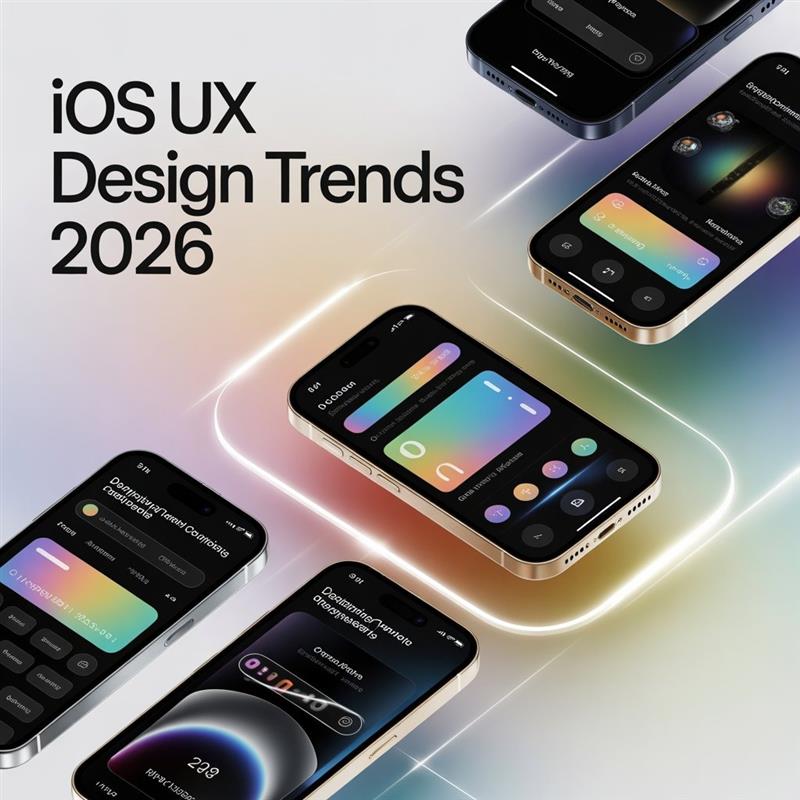
Not every year brings a real design shift. Some years just bring new color palettes. New gradients. A slightly rounder corner radius that someone called a trend.
2026 is not one of those years.
Three things hit at the same time. iOS 26 shipped with the most dramatic visual change since iOS 7 went flat back in 2013. Apple Intelligence moved from a curiosity feature to a genuine platform layer — and it pulled the interface with it, changing how apps surface actions, personalize content, and respond to user context. And the designers who spent 2024 and early 2025 building for Apple Vision Pro came back to iPhone projects carrying different instincts about depth, layering, and dimensionality.
The result is that iOS design trends 2026 feel different in a way you can sense when you pick up an app — not just see in a screenshot. There is more depth. More responsiveness. More of a sense that the interface is paying attention.
For teams building products across the United States — from fintech startups in San Francisco to healthcare platforms in Boston to enterprise tools in Chicago — these shifts are hitting design sprints right now. The questions coming into the team at AsappStudio have changed completely from what we were hearing eighteen months ago.
Here is what is actually happening.
There is a lot of noise around Liquid Glass design. Some of it is deserved. A fair amount is hype. Here is the straight version.
With iOS 26, Apple introduced a material system where UI surfaces behave like physical glass rather than flat paint. The blur behind a floating panel adjusts based on what is beneath it. Colors in a glass layer pick up hues from the content sitting below. When content scrolls under a translucent header, the header reacts — adjusts, breathes. It does not just sit there the way a static frosted rectangle used to.
This is Apple Liquid Glass. It is not the frosted glass from iOS 7 that sat mostly unchanged for a decade. It is a full material language with physics-aware behavior built into how layers interact.
The practical design implications are significant — and honestly uncomfortable at first.
When you place a button on a translucent UI iOS surface, its readability now depends on what is behind it. And what is behind it changes. A button that passes contrast requirements over a white background might disappear over a dark photograph. Every design decision that used to be tested once now needs to be tested across real content contexts. Background-agnostic design is no longer enough.
Glassmorphism 2026 looks nothing like the version designers overused around 2020. That era gave us apps that looked like frosted bubble wrap — soft, dreamy, and genuinely difficult to read. What is working now is far more restrained. Glass is used as a spatial separator, not as decoration. A glass surface communicates one specific thing: this element floats above the content layer. That is its job. When it is used consistently for that one purpose, interfaces feel organized even when they are visually rich.
The companies getting iOS 26 design right are the ones asking “what does this glass surface communicate about hierarchy?” before they ask “does it look good?” Those are different questions. The first one leads somewhere useful.
For US businesses in sectors where premium perception matters — banking apps in New York, health platforms in Boston, legal and professional tools in Seattle — the restrained version of this material language is already signalise current, considered design to users who may not know what Liquid Glass is but absolutely feel the difference.
Here is something that might go against what you expect: the most visible place where AI is changing ios app ux design in 2026 is not the backend. It is the surface — what users actually look at and tap on.
AI-driven personalization at the interface layer means the layout changes. The controls that surface change. The information density changes. Not because the user configured anything. Because the system learned what this particular person needs in this particular context, and adjusted accordingly.
A productivity app used by someone at a law firm in Denver might surface document management actions up front because the system learned that is the pattern. The same app on the phone of a marketing consultant in Miami might lead with sharing and publishing tools. Same app. Different interfaces. Neither user was asked to configure anything.
This is real. It is shipping in production iOS apps in the United States right now.
For ui ux design ios teams, this shifts the deliverable. You are not designing one screen state anymore. You are designing a system that can produce multiple screen states responsibly — with guardrails for accessibility, brand consistency, and user orientation. That is harder work. It requires tighter collaboration between design and engineering than a static spec ever demanded. It requires user research that captures behavioral variance across real users, not averages of imagined personas.
The failure mode here is worth naming clearly. When personalization is wrong — when the interface changes in a way users did not expect and cannot explain — it creates disorientation that feels worse than a generic interface would have. The uncanny valley of adaptive UI is real. Getting past it requires actual testing with real users, not just sophisticated ML models running against synthetic data.
Our artificial intelligence services team works through these takeoffs with clients building personalised iOS experiences. It is one of the more genuinely interesting problems in modern application web ux design right now.
Something shifted in the US market over the last two years that not every design team has fully processed yet.
Accessibility-first design is no longer a differentiator. It is the baseline. And the baseline moved higher.
Part of this is legal. DOJ guidance applying ADA requirements to digital products — backed by a wave of successful litigation against apps with screen reader failures, poor contrast ratios, and inaccessible touch targets — has made legal teams at companies in New York, Chicago, and Los Angeles pay real attention to accessibility audits. This is a genuine business risk in 2026. Not just an ethical consideration.
But beyond the legal pressure, here is what I actually want designers to internalize: ios ux design guideline compliance with accessibility almost always produces better design for everyone who uses the app.
Dynamic Type that scales cleanly? Every user benefits when text stays readable in bright afternoon sun in Phoenix. Large, clearly defined touch targets? Every user benefits when they are navigating through a stressful moment. Sufficient contrast? Every user benefits at 6 AM when their eyes are not cooperating.
The Human Interface Guidelines update for 2026 makes accessibility structural, not supplemental. VoiceOver, Switch Control, Voice Control — these are not edge case features. They are baseline expectations for every iOS interface.
What is genuinely new in 2026 is cognitive accessibility getting serious attention in Apple’s guidance. This means reducing unnecessary choices. Using predictable ios ux design patterns that stay consistent through a session. Avoiding time pressure on interactions. Providing immediate, clear feedback. The practical upshot for ux design ios work: the cleanest, most focused interfaces win on accessibility and on usability at the same time. They are pointing the same direction.
There is a design saying that goes: the best animations are the ones users do not consciously notice. They just feel right. And then they feel wrong the moment they are removed.
Micro-animations iOS in 2026 have landed somewhere mature after several years of swinging between too much movement and too little. The direction right now is motion that communicates rather than motion that performs.
A few specific patterns that are winning:
State confirmation animations are everywhere and doing real work. Tap a button, it compresses and springs back — your thumb gets a message that the input registered without any text being required. Save something to a list, the icon fills with a brief kinetic movement — done, confirmed, satisfying. These are not decorative. They are feedback loops that happen to feel good.
Physics-based motion is genuinely changing what iOS apps feel like — and the impact is hard to fully describe without experiencing it. Instead of animations running along a designed easing curve, physics-based animations use real spring and friction parameters. A sheet that pulls down with resistance. A list that snaps back with momentum. The motion has weight. It behaves like something that exists in the physical world rather than something drawn on a digital canvas.
SwiftUI has made this dramatically more accessible to build. Animations that would have required custom UIKit work eighteen months ago are now a handful of SwiftUI modifiers. That means designers can ask for natural-feeling motion without opening a weeks-long engineering negotiation.
Skeleton loading states replacing spinner wheels deserve a specific mention because the impact on perceived performance is real even though nothing about actual performance changed. Users in rural Texas waiting on a slow connection see the ghost of the incoming layout rather than a spinning circle. The wait feels shorter. The app feels more reliable. Neither changed. The perception did.
The governing constraint across all of this: every animation should have a reason. Motion design trends in 2026 are moving away from showpiece transitions and toward motion that earns its place. If you cannot answer “what does this communicate to the user?” — remove it.
The phone someone uses in the morning is a different context from the same phone at 11 PM. The apps people love most in 2026 recognize this. The apps that feel dated ignore it.
Adaptive UI is one of the most practically important iOS UI/UX trends this year. It is distinct from responsive layout in a specific way. Responsive layout adjusts to screen size. Adaptive UI adjusts to user context — and context includes time of day, location, motion patterns, recent behavior, and what the system knows about what you usually do next.
A fitness app built by a team in Atlanta ships an update where the home screen surfaces different primary actions based on whether the user typically works out mornings or evenings. An expense tracking app for field sales reps across Texas shows different quick-capture options depending on whether GPS places the user at a hotel, an airport, or a client location. Neither required the user to set up anything.
These are dynamic interfaces — not in the flashy sense, but in the quiet functional sense that earns long-term retention.
For design teams, building adaptive UI requires designing component systems that work across multiple states with documented rules for transitions. More upfront design work. But it is the kind of work that produces products people describe as “smart” rather than just “good-looking.”
The collaboration requirement is real. A designer working on adaptive UI without close partnership with iOS engineers is going to hit walls fast. Knowing what is available through CoreMotion, HealthKit, and on-device ML — and what the actual implementation cost of various adaptation signals is — has to shape what you design, not follow it.
Voice interface design on iOS has been “almost there” for several years. The “almost” is largely gone now, and the reason is specific: on-device speech processing.
No cloud round-trip. No latency. No concern about what was said leaving the device. That changed the practical calculus for a meaningful set of app categories. Field service tools used by technicians in Ohio manufacturing facilities. Accessibility-first apps for users who cannot easily use touch. Navigation apps where looking at the screen is genuinely not an option.
For these categories, voice is a primary modality in 2026 and it works. The design challenge is completely different from touch — there is no visual hierarchy to guide attention, no affordances to communicate what is possible. The entire experience lives in the exchange between what the system says and what the user expects it to understand. Getting this right is one of the harder problems in ux design right now, and most teams building voice interfaces are still working out the patterns.
Zero-UI trends sit alongside voice. Live Activities on the lock screen. Widgets delivering value without the app being opened. Siri Suggestions surfacing at the right moment. Focus filters running quietly in the background. These represent a real shift in how value gets delivered — not always through an opened app, but through ambient touchpoints that reduce friction close to zero.
For designers, zero-UI asks a genuinely hard question: how do you maintain brand coherence and user experience quality when there is no screen to design? The answer usually lives in the intelligence of content selection, the timing of surfaces, and the small moments of audio feedback that confirm the system understood.
Here is what happened. The designers who spent 2024 and early 2025 building visionOS experiences came back to iPhone projects with different instincts. They had spent months thinking in layers, in depth, in what it means for a UI element to exist at a specific distance from the user. That thinking did not vanish when they opened Figma for an iPhone project. It showed up in how they structured visual hierarchies, how they used shadow systems, and how they thought about the Z-axis even on a flat screen.
Spatial computing iOS in 2026 is not about putting AR objects on every screen. It is about depth-aware design even when the output is a 2D display. It shows up in how Liquid Glass layers are structured. In how modals rise above content rather than replacing it. In shadow systems that imply height rather than just adding visual weight.
ARKit UX has found genuine product-market fit in a focused set of categories after years of searching. Furniture and interior design apps are widely used in the US real estate market — especially in high-cost cities where people are extremely careful about what will fit in their space. Industrial maintenance tools for facilities across the Gulf Coast and Midwest. Medical training applications. Retail try-on experiences.
Outside those verticals, AR as a primary interaction mode is still looking for its broader product-market fit. But the spatial thinking that came out of Vision Pro work is influencing mainstream iOS user experience design in ways that do not require anyone to hold their phone up at a table — and that influence is permanent.
Dark mode iOS is table stakes now. Every serious iOS app supports it. The design conversation has moved past “should we do this?” to “how do we do it well under the new material system?”
Doing it well in 2026 means more than inverting color values. With Liquid Glass materials, dark mode behavior is genuinely different from light mode — not just flipped. Glass surfaces in dark environments pick up and refract colors differently. Contrast dynamics shift in ways that a simple dark palette does not account for. Shadows that create clean depth in light mode need to be rethought for dark surfaces.
The teams handling this correctly are building semantic color systems — colors defined by role and intent rather than specific hex values — and testing every material combination against real content in both modes. That is more work than swapping a background from white to dark gray. It is also the reason some apps feel consistently polished across switching modes while others look like dark mode was added the afternoon before an App Store submission deadline.
Glassmorphism 2026 has shed the overindulgence of its first wave. Apps still using maximum-blur frosted glass on every surface look dated — like a design trend frozen in 2021. What works now is specific: glass as a material for floating controls, contextual menus, and layered panels where the spatial separation communicates something true about hierarchy. Solid surfaces anchor content. Glass surfaces frame actions. Maintaining that distinction consistently produces interfaces that feel organized even when they are visually rich.
The broader iOS interface trends visual language this year leans hard on confident typography, meaningful negative space, and material depth over decorative complexity. The apps that look and feel most current are doing less on screen, not more — but doing it with real intention behind every choice.
Multimodal experiences in iOS — interfaces that blend touch, voice, camera, and ambient data into one coherent interaction — are moving from experimental to production.
A healthcare app where a patient describes a symptom verbally while the camera passively captures relevant context, and the system surfaces useful information based on both inputs — that is multimodal UX in practice. It is being built right now in the United States. The design patterns around it are new enough that teams are genuinely inventing them rather than drawing on established convention.
Predictive interfaces are the natural extension. Instead of making users navigate to what they need, the interface surfaces it. The calendar app that notices the user is near a location they have a meeting scheduled at and surfaces the event without any tap. The expense app that pre-populates a receipt capture based on a recent credit card notification. These patterns feel almost invisible when they are correct — and they feel presumptuous when they are wrong.
The difference between those two outcomes is almost always user research. Prediction that is accurate feels like the app truly knows you. Prediction that is off feels like the app is guessing at your life. Getting this right requires testing with real users in real daily contexts — not just with design personas developed in a conference room in San Francisco.
For teams navigating this territory, the mobile app development team at AsappStudio has worked through these tradeoffs on real US client projects. What tends to work: start with one specific, high-confidence prediction. Test it carefully. Earn the user’s trust before expanding the scope of what the interface does proactively.
SwiftUI trends 2026 matter for designers even if they never write a single line of code. Here is why.
SwiftUI has matured to the point where the implementation gap — the distance between what a designer specifies and what a developer can build without significant struggle — has narrowed considerably. Complex animations that required custom UIKit work a year or two ago are standard SwiftUI now. Adaptive layout behaviors that would have needed significant engineering investment are achievable with declarative modifiers in a working afternoon.
This shifts the dynamic in design-engineering collaboration in a real way. The “we cannot build that” conversation happens less. That means designers who have been pulling back on certain interaction ambitions should revisit those constraints — they may not apply anymore.
It also means developers can push back more specifically when something does cause problems. Not “that is too complex” — but “this particular pattern works against SwiftUI’s rendering model and will create performance issues at scale.” That is a more productive conversation that leads somewhere faster.
For anyone thinking about ios ux design tutorial resources in 2026: understanding SwiftUI at a conceptual level — not writing it, but understanding how it models state, how its animation system thinks, what its layout engine does and does not do well — is an increasingly real advantage for iOS UX designers. You do not need to code. But knowing which design decisions are easy to implement and which require swimming against the framework’s grain helps you prioritize the right fights with the right information.
The iOS app development team at AsappStudio works at this exact designer-developer boundary daily. Projects go better when design decisions are grounded in what SwiftUI makes natural and what it makes hard.
The difference between iOS UX and Android UX design is something product teams consistently underestimate — especially teams that have spent time in React Native or Flutter and grown comfortable with a single shared design language.
In 2026, with Liquid Glass as a platform-defining visual material on iOS and Material You doing its own distinct thing on Android, the visual distance between the platforms has actually grown. Porting a design from one to the other without platform-specific adaptation produces something users on both sides feel as “off” — even if they cannot name exactly why.
The behavioral differences are just as real as the visual ones. iOS users have deeply internalized left-edge back swipe navigation. They expect tab bars at the bottom with specific behavior. They expect modal sheets to pull down to dismiss. They expect system haptics at specific interaction moments. None of those are Android conventions. Mixing them produces an experience that feels slightly wrong on both platforms — uncanny rather than cohesive.
For teams building ios and android mobile ui/ux design services, the right 2026 approach is platform-native where behavior and visual language are at stake, and platform-shared where information architecture and content logic are at stake. The same user flow can serve both platforms. The same navigation chrome, interaction affordances, and visual vocabulary should not.
The difference between ux ui design and ios developer perspectives is worth understanding in this context too. iOS developers know which patterns work naturally in SwiftUI and which fight it. When a designer’s spec requires something against the framework’s grain, it shows up in production as subtle jank or animation inconsistency. Working with developers who name those risks early — rather than discovering them in QA — is how good ios ux design patterns actually make it to users without compromise.
Apple’s Human Interface Guidelines update for iOS 26 is the most substantive revision in several years. A few things are worth pulling out specifically for people doing real ios ux design work:
The HIG now contains dedicated guidance on agentic UX — what happens when an AI is acting within an interface on behalf of the user. How to communicate confidence levels. How to present AI-generated content distinctly from user-generated content. How to give users genuine and understandable control over what an agent has done and plans to do. This is not speculative guidance. It addresses products that are shipping right now.
The accessibility section was substantially expanded. Haptic feedback patterns for vision-impaired users got detailed treatment. Contrast requirements now account for Liquid Glass background variability rather than assuming solid color backgrounds. VoiceOver behavior in adaptive UI contexts got specific guidance because previous approaches — static labels — break down when the interface itself adapts.
Navigation guidance was updated to address how tab bar behavior integrates with Liquid Glass surfaces, and how edge swipe gestures should behave in apps with deeper navigation hierarchies.
For a heading ios ux designer — someone leading a design team, running a product UX process, or offering ios ui/ux design services — HIG fluency is the thing that separates designers who have done real iOS work from those who have built mockups without ever shipping a live app. Referencing specific HIG guidance in a design rationale document communicates intentionality that matters to good development partners.
Hiring a UX designer for iOS application work in 2026 requires a more specific evaluation process than it did a few years ago. The role’s scope has genuinely expanded, and the expanded scope is real — not inflated expectations.
A strong iOS UX designer in 2026 needs to understand Liquid Glass material behavior and its contrast implications. They need functional knowledge of SwiftUI’s capabilities — not to write it, but to design with it in mind. They need to be able to conduct and interpret accessibility audits, not just know that accessibility matters. They need to understand the difference between adaptive UI and responsive layout, and have worked through the design implications of that difference on a real project. And they should have thought seriously about AI-driven personalization and what agentic interaction patterns actually look like.
Here is what actually matters in evaluation:
Portfolio decisions over portfolio polish. You want evidence of real choices made under real constraints — not just beautiful screens. Look for what changed between versions and why. Look for signs of user testing. Look for the things that got cut and the thinking behind those cuts.
HIG awareness. Does the work feel native to iOS? You can usually tell in a few seconds by looking at navigation patterns and control placement. Work that feels like a web design stretched into a mobile container fails this test.
Accessibility track record. Not “I know the WCAG guidelines” — but evidence of actually running VoiceOver through live designs, finding real issues, and fixing them before they shipped.
Developer relationship. How does the candidate talk about working with engineers? Designers who have shipped real iOS apps talk about SwiftUI constraints, rendering tradeoffs, and animation implementation differently than designers who have only made prototypes.
If finding this profile in a full-time hire is taking longer than you have or costing more than your current stage supports, working with a specialist agency is often the faster and more practical path. Our UI/UX services team at AsappStudio works with companies across California, Texas, New York, Florida, and nationwide on embedded iOS design work.
Agentic UX is the design territory where almost no team has fully figured it out yet. That is also what makes it the most interesting problem in iOS UX design trends 2026 to think seriously about.
The core idea is this: instead of a user tapping through an interface to accomplish something, an AI agent does the work. The user states intent. The agent navigates. The user reviews and confirms the result. Simple in concept. The design problems it generates are not simple at all.
How do you show a user what the agent did? An action log is technically complete and nobody reads it. A summary might miss something that matters. A step-by-step replay is tedious. The right answer is probably a combination of these, surfaced at the right moment and at the right level of detail based on what kind of task was performed and what is actually at stake.
How do you build trust with users who do not fully understand what an agent did or why it did it? Trust in AI interfaces is earned slowly and broken fast. One wrong action — one email sent that should not have been, one purchase made from a misunderstood instruction — and the user never trusts that feature again. Design for agentic UX has to be conservative, auditable, and easy to undo in ways that feel natural rather than defensive.
The Apple HIG guidance on agentic interfaces is a useful starting point. But the honest answer is that the design patterns for this space are being invented in real time by teams at the edge of what is currently shipping. The good teams are publishing what they learn. The field is moving quickly.
Immersive UX sits adjacent to this — reducing interface chrome, letting content fill the frame, making the experience feel more like being inside something than operating a control panel. Neomorphism mobile has found a quiet second life in specific tactile control contexts — volume sliders, custom instrument controls, physical-feeling toggles — after its first wave overreached badly in 2020.
Predictive interfaces, zero-UI trends, and multimodal experiences all point toward the same direction: an iOS ecosystem where the interface does more of the cognitive work so users can focus on what they actually care about. Getting there without making users feel surveilled, confused, or out of control is the central design challenge of the next several years in this field.
Pull back and look at the direction all these trends are pointing.
iOS UX design trends 2026 are not random. They are all moving toward the same thing: interfaces that are smarter about context, more honest about depth and spatial hierarchy, more respectful of the full range of human capability, and more willing to carry cognitive load on the user’s behalf.
Liquid Glass is about spatial honesty — surfaces that communicate where they sit in the stack. AI-driven personalization is about contextual intelligence — interfaces that adapt to you rather than requiring you to adapt to them. Accessibility-first design is about respect — building for the full range of human experience, not an assumed average. Motion design is about communication — using physics and time to tell users what just happened and what is possible next.
The best iOS user experience design in 2026 does not feel designed. It feels earned. It feels like someone understood what you needed before you had to explain it. That is a hard thing to build. It requires genuine user research, real testing in real contexts, honest iteration, and close collaboration between design and engineering.
If you are building an iOS app and want these trends to show up in your product — whether you need a full team, a design partner, or just a starting conversation —AsappStudio works with businesses across the United States. Our USA office is at 43620 Ridge Park Dr. STE 310, Temecula, CA 92590. Reach us through our contact page, explore our case studies to see how these principles play out on real products, or look through our portfolio for specific examples.
The trends above are the roadmap. What matters is what you build with them.
Q1: What is the biggest iOS UX design trend in 2026?
Liquid Glass — Apple’s translucent, depth-aware material in iOS 26 — is the defining visual shift. It changes how contrast, hierarchy, and layering are handled across all iOS interfaces.
Q2: How is iOS UX different from Android UX design in 2026?
iOS uses Liquid Glass materials, HIG-native gestures, and bottom tab navigation. Android uses Material You. Keeping each platform’s native patterns intact produces better results than forcing uniformity across both.
Q3: What does agentic UX mean in iOS design?
Agentic UX is when an AI performs app tasks on the user’s behalf. The key design challenge is building transparent, auditable, and easy-to-undo interactions that users can trust and understand.
Q4: Why does accessibility-first design matter specifically for US iOS apps?
DOJ digital accessibility guidance and ADA-related litigation make it a compliance and legal risk issue. Beyond that, accessible design consistently improves usability for every user across all real-world conditions.
Q5: What should I look for when hiring a UX designer for iOS in 2026?
Real portfolio decisions under constraints, genuine HIG fluency, hands-on accessibility audit experience, and evidence of productive collaboration with iOS developers — not just polished mockups.