
Tom Griffiths runs a small wholesale distribution company out of Knoxville, Tennessee. Twelve employees. A warehouse. A customer base that’s grown steadily since he started the company eleven years ago.
He also had a spreadsheet problem that was slowly eating his business alive.
Every Friday afternoon, his office manager Linda would spend roughly five hours pulling numbers from three different systems — their QuickBooks, their order management tool, and a shared Google Sheet that vendors updated manually. She’d stitch everything together into a weekly summary, then email it to Tom and two department leads before she left for the weekend.
Tom told me he didn’t even notice the problem at first. Linda was good. She never missed a Friday. The reports looked clean.
Then Linda took two weeks off for a family trip to Savannah.
Nobody else could produce the report. Tom spent his own Friday afternoon trying to replicate what Linda did every week. Four and a half hours. He got it mostly right but found two errors afterward.
That was his wake-up call.
Eight months later, that report runs automatically every Thursday night. Tom gets it in his inbox before he even arrives at work on Friday. It pulls live data from all three sources, reconciles the numbers, flags anything unusual, and formats itself exactly the way Tom wants it. Linda still reviews it — but that takes her about twelve minutes now, not five hours.
Tom didn’t hire a data team. He didn’t buy enterprise software. He implemented AI data automation in 2026, the version that’s available to a 12-person company in Knoxville is genuinely remarkable.
Let’s cut through the buzzwords.
AI data automation is using artificial intelligence — machine learning models, AI agents, natural language processing, computer vision — to handle the data work that used to require humans sitting at a keyboard. That covers a lot of ground. Data extraction. Data cleaning. Data transformation. Data integration. Automated data processing. Real-time reporting. Invoice automation. CRM automation. ERP automation.
The part that often confuses people is what makes the 2026 version different from the automation tools that existed five or ten years ago.
Old automation was rigid. Rule-based. You wrote instructions in advance and the system followed them. If something changed — a vendor renamed a column in their spreadsheet, a form got redesigned, a new data source got added — the automation broke. Somebody had to fix it manually.
AI data automation doesn’t work that way. It reads context. It recognizes patterns without being explicitly told what to look for. When a vendor changes their invoice format, a good AI document automation system figures out the new layout and keeps working. When a data field comes in blank, an intelligent automation system either fills it from historical patterns or flags it for review rather than crashing or silently producing wrong output.
That adaptive quality is the actual breakthrough. And it’s why business process automation built on AI is replacing rule-based systems at a serious pace across U.S. industries right now.
This question comes up every time someone sits down to evaluate tools.
Traditional automation follows instructions. AI interprets situations.
Here’s a concrete example. A traditional RPA bot can copy an invoice total from a PDF into a spreadsheet — but only if the PDF is formatted exactly the way it was trained on. Swap the layout, and the bot either grabs the wrong number or fails entirely.
An AI-powered system doing the same job uses computer vision to find the invoice total regardless of where it sits on the page. It reads the document the way a human would — looking for meaning, not coordinates.
That’s the core of AI vs RPA. Robotic process automation is extremely good at high-volume, perfectly-structured tasks. Add AI on top and you get a system that handles the messy real-world variation that breaks pure RPA constantly.
In 2026, most serious AI automation solutions combine both. The RPA layer handles mechanical execution — moving files, submitting forms, triggering actions. The AI layer handles judgment — reading unstructured data, resolving ambiguous inputs, catching anomalies that rules alone would miss.
Is AI a form of automation? Yes. But calling it that is like calling a surgeon a person who cuts things. Technically accurate, wildly underselling what’s actually happening.
Sandra Reyes manages operations for a multi-physician family practice in Denver, Colorado. Four doctors. Two nurse practitioners. About 340 patient visits a week.
The billing department had two full-time staff members whose entire job was moving data. Insurance verification pulled from one system. Patient records lived in the EHR. Billing codes came out of a different module. Every patient visit required someone to touch data in at least three places.
Errors were constant. Not catastrophic ones — mostly small mismatches that caused claim rejections. But each rejected claim required follow-up, resubmission, sometimes appeals. The staff estimated they spent about 30% of their time not doing billing, but fixing billing mistakes.
Sandra’s practice implemented AI data automation across their patient data workflow in mid-2024. Here’s what changed.
Patient intake now feeds directly into the EHR. Insurance data gets verified through real-time API integration with carriers when the patient checks in — not two days before when a staff member has time to do it. Billing codes get suggested automatically based on the visit documentation and flagged for physician review before the claim goes out. Claims that don’t match carrier requirements get caught before submission, not after rejection.
Claim rejection rate dropped from about 18% to under 4% in six months.
The two billing staff members still work there. They’re now doing utilization analysis and payer contract review — work that actually requires human judgment — instead of copying data between systems all day.
That’s what intelligent data automation does to a healthcare practice. It doesn’t eliminate your people. It eliminates the parts of their job that were wasting their capability.
If you’re evaluating data automation services or talking to an AI automation agency, you need to understand what’s actually happening inside these systems. Here’s the plain-English version.
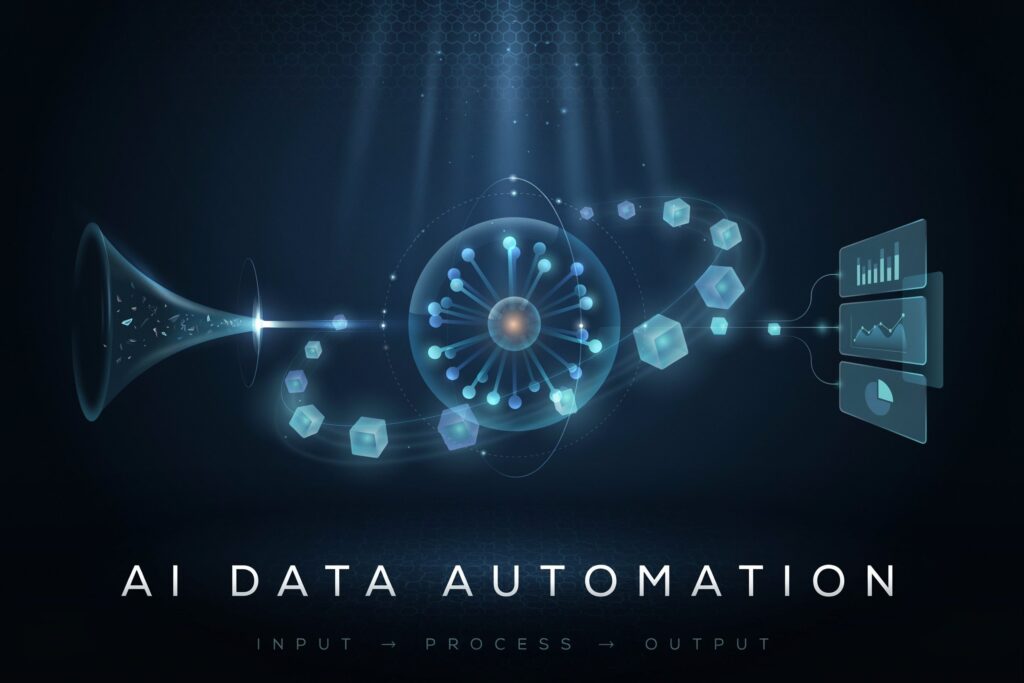
The system pulls data from wherever it lives. PDFs. Scanned paper forms. Email attachments. Web forms. API feeds. Database exports. Older systems that don’t have modern integration options. AI-powered extraction uses computer vision and natural language processing to read these sources and pull out the relevant information — even when the format varies.
Raw data is almost always messy. Duplicate records. Inconsistent formatting — “Tennessee” in one field, “TN” in another, “Tenn.” in a third. Missing values. Numbers that fall outside expected ranges. AI data automation handles this automatically — standardizing, deduplicating, flagging gaps, and filling predictable blanks from historical patterns.
What gets pulled from one source rarely matches what another system needs. Dates formatted differently. Currency conversions. Unit changes. Field names that don’t match. Data transformation takes the raw extracted data and reshapes it into whatever format the destination system requires. AI handles this dynamically, learning from each data source rather than requiring hard-coded mapping for every variation.
ETL — Extract, Transform, Load — is the backbone of most business data operations. AI-powered ETL automation runs these pipelines automatically, on schedules or triggered by events, with built-in logging and error handling. When something breaks, the system records exactly what happened and where, rather than silently producing bad data.
Getting information out of siloed systems — your CRM, your ERP, your accounting software, your marketing platform, your logistics tool — and into a unified view is one of the hardest operational problems any growing business faces. AI data integration automation handles this through API integration and custom connectors, syncing data across platforms continuously rather than in batches that are always already out of date.
This is where the day-to-day impact shows up most directly. AI reporting automation generates reports on schedule, pulls current data rather than whatever was in the system when someone last ran a query, and delivers results to AI-powered dashboards that update as conditions change. Business intelligence automation means your team is looking at what’s happening now — not a week-old snapshot.
Marcus Webb runs regional freight coordination out of Columbus, Ohio. Sixty-three trucks. Roughly 140 active clients. A constant flow of shipment updates, delivery confirmations, billing triggers, and compliance data.
His operations ran on a combination of a TMS, a spreadsheet-based billing tracker, and — no joke — a shared email inbox that two people monitored simultaneously to catch incoming confirmations.
Three months before talking to us, Marcus had a billing dispute with a client that cost him $22,000. Not because anyone was dishonest. Because a delivery confirmation sat in the shared inbox for four days without anyone posting it to the TMS. The billing record didn’t match the actual delivery timeline. The client disputed it. Marcus lost.
They built automated workflows connecting the TMS, billing system, and compliance tracker through a combination of AI process automation and direct API integration. Delivery confirmations now flow automatically. Billing triggers fire the moment a confirmed delivery is logged. Compliance records update without anyone touching them.
The shared email inbox still exists. But it’s now for exceptions — things the automated system flags for human review — rather than the primary data channel.
Billing cycle time dropped from seven days to same-day. The staff member who spent half her time monitoring that inbox now manages carrier relationships. And Marcus hasn’t had a billing dispute since implementation.
There’s no single best answer here. The right tool depends on your systems, your team’s technical comfort level, and the specific workflows you’re targeting. But here’s an honest map of what exists.
For businesses running Microsoft infrastructure, Power Automate with Copilot integration handles AI workflow automation across Office 365, Dynamics, Teams, and hundreds of connected apps. It’s not cheap at scale, but if you’re already in the Microsoft ecosystem, it’s often the path of least resistance.
For mid-market businesses with mixed systems, Make (formerly Integromat) and n8n give you serious flexibility for AI workflow automation without enterprise pricing. Both handle complex multi-step data pipelines, API integration, and conditional logic well. n8n in particular has become popular with businesses that want to self-host for data privacy reasons.
For document-heavy workflows — invoice automation, contract processing, AI data entry automation — UiPath and ABBYY FlexiCapture are purpose-built and genuinely strong. They use computer vision and NLP specifically trained on business documents, which gives them better accuracy on messy real-world inputs than general-purpose platforms.
For AI data analytics automation and reporting, Power BI with Copilot and Looker Studio with connected AI layers handle dashboard automation and predictive analytics well for businesses that already have data centralized somewhere.
For small businesses who want no-code automation without a technical team, Airtable with AI features and HubSpot’s automation layer cover a lot of the most common pain points — CRM automation, AI data entry software for contacts and leads, basic reporting workflows — without requiring a developer.
The best data automation software 2026 for your business is the one that connects to what you already use, solves the workflow costing you the most time or money first, and doesn’t require a six-month implementation before you see any benefit.
Here’s the conversation that happens most often when small business owners in places like Boise, Idaho, or Lexington, Kentucky, or Tulsa, Oklahoma first hear about this stuff.
“That sounds great for a big company. Is it actually realistic for us?”
The answer in 2026 is genuinely yes. And the reason is no-code automation and low-code automation.
Three or four years ago, implementing any meaningful AI-powered data automation required a developer, often multiple developers, custom code, and months of work. The barrier was real.
That barrier has dropped significantly. Platforms have matured. Pre-built connectors mean you’re not starting from scratch every time. Interfaces have gotten genuinely usable for non-technical staff.
AI workflow automation for small businesses now starts at entry-level price points many businesses can justify from a single workflow improvement. A bakery distribution company in Albuquerque, New Mexico that spends eight hours a week on manual order processing isn’t looking at an enterprise software contract — they’re looking at a configured automation that pays for itself in a month.
The key for small businesses is starting narrow. One workflow. The one that costs you the most hours or causes the most downstream problems when it goes wrong. Prove that works. Then expand.
Don’t try to automate everything at once. Nobody gets that right on the first try, regardless of company size.
Every industry is touching this. But some sectors are moving noticeably faster than others right now.
Healthcare — driven by billing complexity, regulatory compliance requirements, and the sheer volume of structured and unstructured patient data that needs to move between systems accurately. AI data entry automation and document processing are seeing some of the highest adoption rates here.
Financial services and accounting — AI reporting automation, automated data management, and AI-based reporting are transforming how firms handle client reporting, reconciliation, and compliance documentation. Firms that used to spend half their time producing reports are now spending that time on advisory work.
Logistics and supply chain — real-time data needs are extreme here. Shipment status, inventory levels, delivery confirmations, carrier data, compliance records — all of it needs to be current and integrated. AI workflow automation and data pipelines built on cloud automation are cutting cycle times dramatically.
Retail and e-commerce — CRM automation, inventory data management, and AI-powered dashboards are changing how retail operators understand and respond to customer behavior. Businesses running ecommerce operations are using AI-powered decision making to personalize at a scale that simply wasn’t possible when marketing decisions required manual data work.
Manufacturing — connected to IoT development, manufacturing operations are generating more sensor data than ever. Smart data processing pipelines that convert raw machine data into operational insights are replacing manual monitoring and reporting across plants from Detroit to Houston.
Businesses running toward AI data automation sometimes skip past the security and governance conversation. That’s a mistake that costs people real money.
Data privacy in AI automation isn’t just a compliance checkbox. It’s a risk management reality. When your data processes automatically — flowing between systems, getting processed by third-party platforms, landing in cloud storage — the attack surface grows. So does the regulatory exposure if something goes wrong.
For businesses in healthcare, finance, or serving customers in California, Virginia, or New York, the legal requirements around how data is handled and stored are specific and enforceable. HIPAA doesn’t care that your vendor’s platform was the one that mishandled the data. You’re still liable.
What this means practically:
Know where your data goes at every step. If you’re using a cloud automation platform to process customer records, you need to know which cloud region, what the retention policies are, who can access what, and what the breach notification process looks like.
Build AI governance into the process from the start. Define which decisions the automated system makes on its own and which ones require human review. Log everything. Audit the logs regularly.
Data governance isn’t a feature you add later. It’s a foundation you build on. Any AI automation agency worth talking to will lead with this conversation, not bury it in the terms of service.
The next significant shift is already underway in early-adopter companies, and it’ll be mainstream within 18-24 months.
Agentic automation — AI agents that don’t just execute a fixed workflow but actively manage a process — is the direction everything is moving. The difference sounds subtle but isn’t.
A standard AI workflow automation system follows a pipeline you define. Data comes in here, gets processed this way, goes out there. The AI handles variation within the steps you’ve set up.
An AI agent using agentic automation can modify the pipeline. It monitors outcomes, identifies when the process isn’t producing the right results, tries different approaches, escalates unusual situations to humans, and reports on its own performance. It behaves less like software following instructions and more like a junior analyst who’s been given an objective and has judgment about how to reach it.
Best AI agents for data pipelines automation 2026 are already being deployed in operations teams at companies you’ve heard of. In 24 months, they’ll be available as off-the-shelf tools at accessible price points.
The businesses building comfort with AI data automation now — even simple workflow automation — will have a significant head start when agentic automation becomes standard. The ones waiting will be learning the basics while their competitors are already running advanced systems.
Predictive analytics embedded directly into data pipelines is the other shift to watch. Not as a separate BI tool that analysts log into — but as a layer within the automation itself that surfaces predictions as data flows through. You don’t go check what’s likely to happen. The system tells you as part of the normal data delivery
Businesses in our network reach out with a data problem, not a technology request. That’s usually the right starting point.
Asapp Studio builds AI automation solutions for U.S. businesses — healthcare practices, logistics companies, retail operations, professional services firms, manufacturers — from our base in Temecula, California. The delivery team in Lahore keeps costs competitive without compromising quality or communication turnaround.
The process always starts with the workflow, not the platform. Where does your data enter the business? Where does it go? Where does it get stuck or get wrong? What does fixing that specifically look like for your team and your customers?
From there, the build might be a configured integration on an existing platform, a custom-built software development solution, or a combination. The web development team builds the interfaces your team actually uses — dashboards, exception queues, approval workflows. The quality assurance team tests against real-world data variation before anything goes live.
When businesses need ongoing automation expertise without full-time hiring costs, staff augmentation puts experienced engineers inside your team on flexible terms. When data automation connects to field operations or mobile workflows, the mobile app development team handles that layer.
For businesses whose data problems connect to ecommerce operations, the ecommerce development team brings specific experience with retail data flows — inventory sync, order automation, customer data pipelines.
If you’re thinking through where to start, reach out. The first conversation is about your operations, not our services.
Yes — and this is one of the most common entry points for businesses that haven’t automated anything yet.
Manual Excel reporting is where a lot of companies feel the pain most acutely. Hours spent pulling data, formatting tables, building charts, updating formulas. AI reporting automation can replace most of that work — pulling live data from source systems, generating formatted outputs, and delivering them on schedule without anyone touching Excel at all.
Can AI automate data cleaning? Absolutely. Data cleaning is one of the strongest use cases for machine learning automation — standardizing inconsistent formats, catching duplicates, flagging values that don’t fit the pattern, and filling predictable gaps.
Is AI data automation better than manual data processing? For high-volume, recurring workflows — yes, by a wide margin. For one-time, highly complex analytical tasks that require significant judgment and context — humans still bring value that AI augments rather than replaces.
How much does AI data automation cost? This varies widely. Small business no-code workflows can start under $200/month. Custom-built enterprise automation for complex multi-system data pipelines can run into six figures for implementation plus ongoing support costs. Most mid-market business applications land somewhere in the $1,000–$8,000/month range all-in, depending on scope and vendor.
What is AI workflow automation specifically? It’s the application of AI to the sequence of steps that move data through your business — triggering actions, making conditional decisions, passing information between systems — as a continuous, mostly self-managing process rather than something someone manually kicks off each time.
Tom in Knoxville gets his Friday report before he arrives at work. Sandra’s practice in Denver has a claim rejection rate that would have seemed impossible three years ago. Marcus in Columbus doesn’t have billing disputes anymore.
None of them are running Fortune 500 technology budgets. None of them had a team of data engineers on staff when they started. They found the workflow that was costing them the most, fixed it with the right combination of AI-powered data automation and practical implementation, and then built from there.
That’s the actual story of AI data automation in 2026. Not the press release version. The operational one.
Your business has a version of the Friday report problem. Maybe it’s invoices. Maybe it’s CRM data that nobody trusts because it’s always out of date. Maybe it’s a weekly report that only one person knows how to produce, which means you’re one vacation away from flying blind.
Find that problem. That’s where to start.
Talk to Asapp Studio about what automated data management looks like for your specific operation. No pitch decks. No generic demos. Just a straight conversation about where your data process breaks and what fixing it realistically looks like.
Q1: What is AI data automation and its core functions?
AI data automation uses artificial intelligence to handle data extraction, cleaning, transformation, integration, and reporting without manual work — replacing slow, error-prone human data handling with fast, adaptive automated systems.
Q2: How can AI automate data entry for a business?
AI data entry automation reads documents, forms, and invoices using computer vision and NLP, pulls relevant fields, and posts them into your systems automatically — cutting entry time and dropping error rates well below 1%.
Q3: Is AI data automation realistic for small businesses in 2026?
Yes. No-code and low-code platforms have made AI workflow automation for small businesses accessible at low monthly costs. Start with one workflow — reporting or invoice processing — and expand once the ROI is proven.
Q4: What’s the difference between AI automation and traditional automation?
Traditional automation breaks when inputs change. AI automation adapts — recognizing new formats, handling exceptions, and making judgment calls within defined rules, making it far more reliable for real-world business data.
Q5: How does an AI automation agency like Asapp Studio help businesses?
Asapp Studio maps your data workflows, identifies the highest-ROI automation target, builds and tests the right solution, and delivers a working system — not a platform license and a manual to figure out yourself.